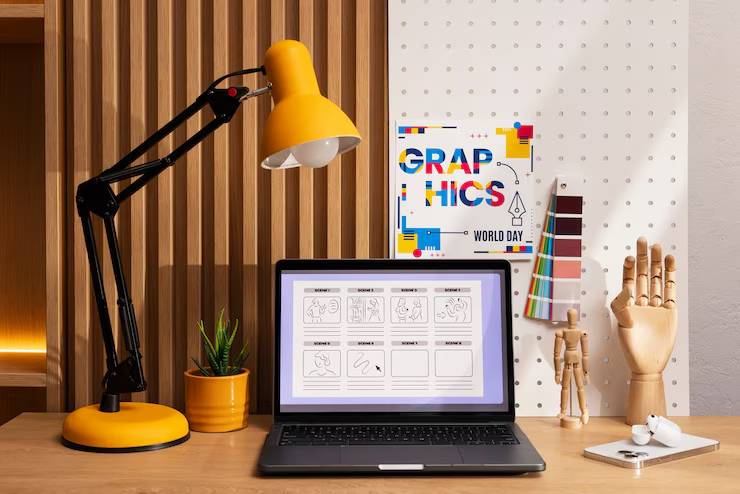
Graphic design is essential to branding, marketing, and online content creation. Whether you’re a professional designer or someone needing high-quality visuals for a website, finding the right tools can make a huge difference. While premium software like Adobe Creative Suite is widely used, many free tools offer powerful features without the high price tag.
In this guide, we’ll explore the best free graphic design tools in 2025. These tools help designers create stunning visuals, edit images, and streamline their workflows. If you’re looking for cost-effective solutions, keep reading!
1. Canva
Canva is a user-friendly graphic design platform that allows users to create professional designs with ease. It offers a drag-and-drop interface, a vast library of templates, and various design elements to customize projects effortlessly.
- User-friendly drag-and-drop interface
- Thousands of free templates
- Ideal for social media graphics, presentations, and marketing materials
Best For:
- Social media marketers
- Small business owners
- Beginners in graphic design
2. GIMP
GIMP (GNU Image Manipulation Program) is a powerful open-source image editor, providing professional-grade tools for photo retouching, composition, and image authoring.
Why it’s great:
- Powerful image editing capabilities
- Supports multiple file formats
- Open-source and highly customizable
Best For:
- Professional graphic designers
- Photographers
- Digital artists
3. Inkscape
Inkscape is a feature-rich vector graphic editor, making it an excellent alternative to Adobe Illustrator. It allows users to create scalable and precise vector designs.
Why it’s great:
- Advanced vector editing features
- Free alternative to Adobe Illustrator
- Supports SVG file format
Best For:
- Logo design
- Illustration and vector art
- Web and UI designers
4. Figma
Figma is a web-based UI/UX design tool that enables real-time collaboration, making it ideal for teams working on digital projects.
Why it’s great:
- Cloud-based collaboration
- Intuitive interface
- Free plan for individuals and small teams
Best For:
- Web designers
- App developers
- UI/UX teams
5. Krita
Krita is a professional-grade digital painting application tailored for artists, illustrators, and concept designers.
Why it’s great:
- Designed for illustrators and concept artists
- Offers advanced brushes and textures
- Open-source and regularly updated
Best For:
- Illustrators
- Concept artists
- 2D animators
6. Gravit Designer
Gravit Designer is a vector design tool that works on multiple platforms, offering a seamless experience for designers on different devices.
Why it’s great:
- Works online and offline
- Free version offers robust vector editing tools
- Supports multiple file formats
Best For:
- Designers who work across multiple devices
- Vector-based projects
- Logo and branding design
7. Pixlr
Pixlr is an AI-powered online photo editor that simplifies the process of editing and enhancing images with quick and smart tools.
Why it’s great:
- Web-based and easy to use
- AI-powered tools for quick edits
- Supports multiple file formats
Best For:
- Bloggers
- Social media managers
- Casual designers
8. Blender
Blender is a leading open-source software for 3D modeling, animation, rendering, and game development.
Why it’s great:
- Professional-grade 3D modeling and animation
- Free and open-source
- Extensive community support
Best For:
- 3D artists
- Game developers
- Animators
9. Vectr
Vectr is an easy-to-use vector graphics tool that is perfect for beginners and those who need quick and simple designs.
Why it’s great:
- Beginner-friendly vector editing
- Works online and offline
- Free cloud storage
Best For:
- New designers learning vector graphics
- Quick logo and icon creation
- Web-based projects
10. Colorcinch
Colorcinch is an innovative online design tool that leverages AI to enhance photo editing and graphic design.
Why it’s great:
- AI-powered enhancements
- Simple and intuitive interface
- No need for software installation
Best For:
- Quick photo touch-ups
- Social media content
- Casual designers
Need a professional touch for your designs?
Renvation specializes in high-quality graphic design customized to your needs. Whether it’s branding, social media visuals, or website graphics, we’ve got you covered. Book a free consultation today and discuss your vision directly with Ren—let’s bring your ideas to life!
Conclusion
Finding the right design tool doesn’t have to be expensive. With the growing number of free graphic design tools available in 2025, designers and businesses have plenty of powerful options. Whether you need to create social media graphics, edit photos, or design a website, these free tools can help you get the job done.
If you’re looking for a user-friendly option, Canva is perfect. For professional-level editing, GIMP and Inkscape are solid choices. UI/UX designers will love Figma, while digital artists can benefit from Krita.
Try out these tools and find the best fit for your needs. Which one do you plan to use first?
FAQs
1. Are free graphic design tools as good as paid ones? Yes, many free tools offer advanced features comparable to paid software. However, some free versions may have limitations or fewer resources.
2. What is the best free tool for beginners? Canva is the best choice for beginners due to its simple drag-and-drop interface and ready-made templates.
3. Can I use these tools for commercial projects? Most free tools allow commercial use, but always check their licensing terms before using them for business projects.
4. What is the best alternative to Adobe Photoshop? GIMP is the best free alternative to Photoshop, offering powerful photo editing and retouching features.
5. Do I need to download these tools? Some tools, like Figma and Pixlr, are web-based, while others, like GIMP and Krita, require installation.