

Do want to start to build a website? Or do you have a website struggling to run smoothly and it takes time to load? Do you want your website to have a smooth user experience and have a good performance? In this article, we will share with you the WordPress development tips to build a powerful website.
WordPress Secrets: Building for a Better Website
If you want to build a website, WordPress is the best choice. WordPress is known for its flexibility, easy to use, customization options and can build a website without coding. We can create all sorts of websites from personal website to online store. It also allows you to install plugins and manage content. The platform is also a SEO friendly, helping you rank higher in search engines.
If you want to improve your website performance, you need to follow these tips and practices.
11 WordPress Development Tips Every Developer Should Know
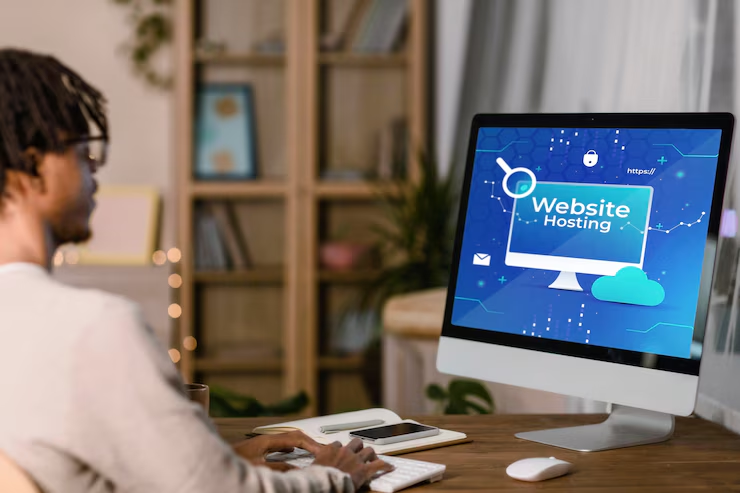
1. Choose a Good Hosting Provider
If you want your website to have a good speed performance, security and reliability you need to choose a good hosting provider. Investing in a reliable hosting provider can make a big difference in your site’s success.
2. User Friendly Design
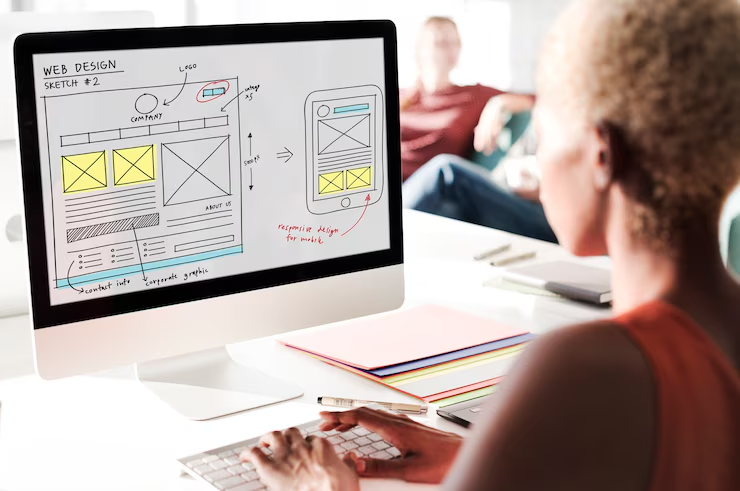
Your website should be user friendly, clean and simple layout to make it easier for visitors to find what they need. Use readable fonts, colors, organized menus, and a well-structured design. Avoid over designs and animations and make sure important information is easy to find.
3. Make Your Site Mobile-Friendly
People nowadays browse the internet through their mobile phones, so make sure your website works well on any device and resolutions. Test your site with Google’s Mobile-Friendly Test and use flexible images and layouts. A mobile-friendly site improves user experience and search rankings.

4. Optimize Your Website for SEO
Install SEO Plugins like Rank Math and Yoast SEO to improve rankings. If you want to rank higher in search engines and want to have more visitors, you need to optimize your website. Write content using relevant keywords, proper heading structures, optimized meta descriptions and title, and do an internal linking.
5. Website Maintenance
Conduct weekly or monthly website maintenance. Regularly update WordPress, plugins and themes. Always check for broken links, monitor page speed performance and update outdated content.
6. Use the Right Plugins
Plugins add extra features to your website, but installing many plugins can slow down your website. Choose only those important plugins that are mostly needed for your website and uninstall the unnecessary ones to avoid compatibility issues and slow loading times.
7. Improve Website Speed
Website that has a slow performance can hurt your search rankings and frustrate visitors. Choose always lightweight theme, compress media files and use caching plugins like WP Rocket. Minimize javascript, CSS and HTML to enhance loading speed.
8. Keep Your Website Secure
Secured website is very important. It protects your site from malware and hackers. Regularly update WordPress, plugins and themes to fix security flaws. Install security plugins like Wordfence and use strong passwords if necessary, enable two factor authentication. Also, enable SSL certificates to encrypt data and protect users.
9. Backup Your Website Regularly
Technical issues or cyberattacks can cause data loss. Set up automatic backups with your hosting provider. Store copies of your website on external cloud services for extra security.
10. Keep Learning and Experimenting
WordPress is always evolving, so stay updated with the latest trends. Follow WordPress blogs, take online courses, and join forums. Testing new tools and features can help you improve your site over time.
WordPress Mistakes to Avoid
While following those practices, you should also consider WordPress mistakes to avoid. Here are the most common mistakes and how to avoid them.
1. Ignoring Updates
Ignoring updates like themes, and plugins can make your website vulnerable to security threats. To stay secure always update or you can enable automatic updates or regularly check for new versions.
2. Installing Too Many Plugins
Plugins add features and enhance functionality, but excessive plugins can slow down the performance of your website. Other poorly coded plugins can introduce your website to security risk. Install only those necessary, well reviewed plugins and remove those outdated. Regularly updating plugins also ensures compatibility with the latest WordPress version.
3. Using Weak Passwords
Using weak passwords can make your website easy for hackers to access. Don’t use simple plugins like 12345678 or admin, you are putting your site at risk. Use strong passwords that include uppercase and lowercase letters, numbers, and characters. Add two factor authentication to provide extra security to your website.
4. Updating plugins, and themes Without Backup
Updating important plugins or WordPress core files without creating a backup can be risky. Some updates may cause compatibility issues, break functionality, or even crash your site. Before updating, always back up your website to ensure you can restore it if something goes wrong.
5. Using a Non-Responsive Theme
A website that doesn’t adapt to different screen sizes can drive away visitors. With more users browsing on mobile devices, a non-responsive theme can hurt user experience and rankings. Choose a mobile-friendly WordPress theme that adjusts seamlessly across desktops, tablets, and smartphones.
6. Ignoring Site Performance
Ignoring site performance can result in slow loading speeds and high bounce rates. Visitors expect fast websites, and search engines prioritize performance in rankings. Use tools like Google Analytics, GTmetrix, and PageSpeed Insights to track speed, uptime, and overall site health. Regular performance monitoring allows you to fix issues before they impact users.
Need Help Building a Website?
Looking for a professional touch for your website? Contact Renovation or schedule a meeting with Ren, an expert in developing powerful websites that meet your standards. Ren offers a full suite of services, including:
- Shopify Development
- Figma Design
- Search Engine Optimization (SEO)
- Graphics Design
- Photo Editing
- Web Design
Frequently Asked Questions
Why we should keep WordPress, themes, and plugins updated?
Regular updates ensure security, fix bugs and improve performance. Failing to update can expose your site to security threats and compatibility problems.
How can I check if a plugin is reliable?
Check the plugin’s ratings, reviews, last update date, and number of active installations. Avoid plugins that haven’t been updated in a long time.
What are common signs of a slow WordPress website?
High bounce rates, slow page load times, poor search rankings, and visitors leaving quickly can indicate performance issues.
How can I recover my site if it crashes after an update?
If you have a backup, use it to restore your site. If not, contact your hosting provider for support or use WordPress recovery mode.
Can bad hosting affect my website’s performance?
Yes. Poor hosting can slow down your site, cause frequent downtime, and lead to security vulnerabilities. Choose a reliable hosting provider for better performance.